Background Work and the UI Thread
Do slow work without freezing the window, and hand the result back safely.
The example for this page builds as tutorial_15_background_work.
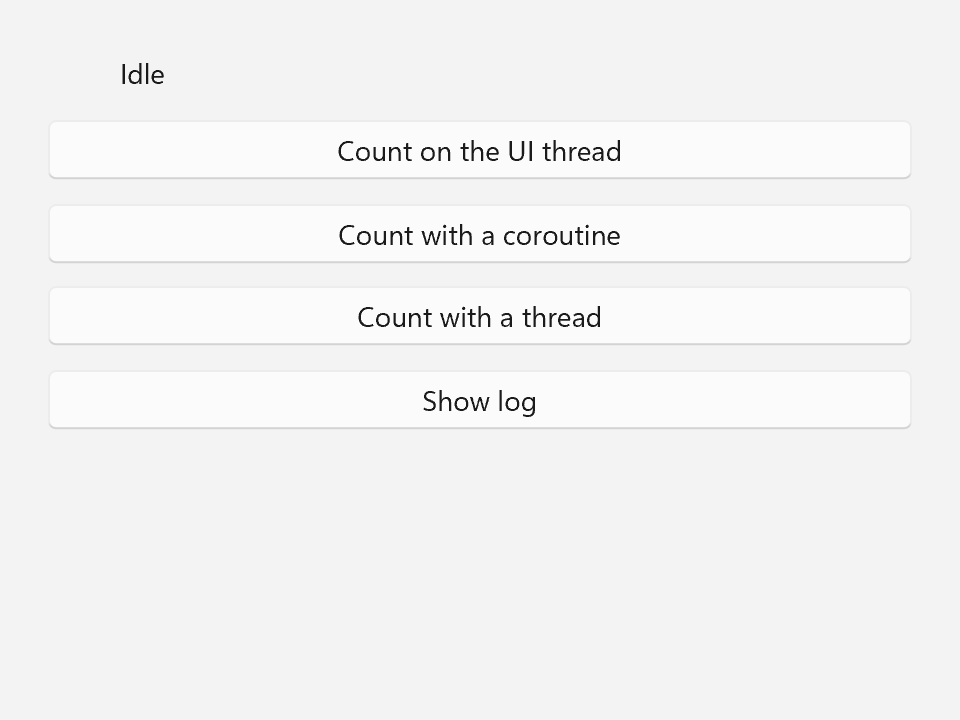
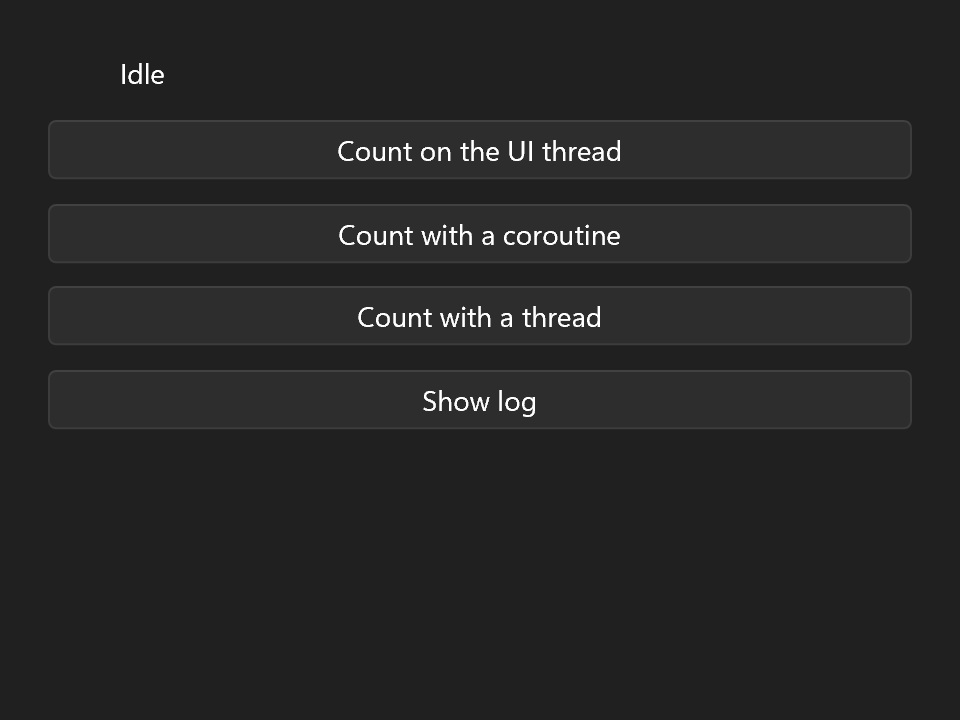
Everything so far ran in handlers that return in a blink. Real apps load files and crunch numbers, and that often takes longer than a click should. The example for this page counts the primes below ten million, which takes a few seconds on purpose, three times: once the wrong way, once with a coroutine and once with a plain thread. A second window shows a log of the results.
One Thread Owns the UI
A window and everything in its tree belong to one thread: the one that constructed the ui::Window, usually the one running main(). That thread runs the message loop inside ui::run(), and every handler, binding and redraw happens on it. There are no locks in the tree, so only that thread may touch it.
The flip side is that while a handler runs, nothing else does. The window does not repaint, does not react to the mouse, and after a few seconds Windows grays it out and calls it "Not Responding".
A Slow Handler Freezes the Window
The work itself is an ordinary function. It reads its arguments and nothing else, so any thread may run it, and it gives up early when its std::stop_token asks it to:
constexpr int Limit = 10'000'000;

// Counts the primes below `limit` by trial division, which takes a few seconds on purpose. It
// touches nothing but its arguments, so any thread may run it, and it gives up when asked to.
int count_primes(int limit, std::stop_token stop = {})
{
    int count = 0;
    for (int n = 2; n < limit && !stop.stop_requested(); ++n)
    {
        bool prime = true;
        for (int d = 2; d * d <= n; ++d)
        {
            if (n % d == 0)
            {
                prime = false;
                break;
            }
        }
        count += prime ? 1 : 0;
    }
    return count;
}
Called straight from a click handler, it freezes the window for the whole count:
auto count_on_ui_thread = [&]
{
    state.status     = "Counting...";       // never drawn: no frame until we return
    const int primes = count_primes(Limit); // the window is frozen for the whole count
    state.status     = std::format("{} primes below {}", primes, Limit);
    state.log.push_back("UI thread: " + state.status.get());
};
Note that "Counting..." never shows up either. Setting the status does mark the text for a redraw, but the redraw only happens once the handler has returned, at which point the text already says how many primes there are.
The fix is to run the count somewhere else and only come back to the UI thread for the result. The state the example shares between the threads is a small struct living in main():
struct AppState
{
    ui::Property<std::string>         status{"Idle"};
    ui::Property<bool>                busy{false};
    ui::ObservableVector<std::string> log{};
    std::stop_source                  stop{}; // asked to stop when the window closes
};
Hopping Threads With a Coroutine
A coroutine lets you write the whole thing top to bottom and switch threads in between:
ui::FireAndForget count_with_coroutine(ui::Window& window, AppState& state)
{
    // On the UI thread, like any handler, up to the first co_await.
    state.busy                 = true;
    state.status               = "Counting...";
    const std::stop_token stop = state.stop.get_token();
    const ui::WindowRef   home = window.ref(); // where to come back to

    co_await ui::on_background();
    // A worker thread from here on: no element, no Property, no Window except post().
    std::string result;
    try
    {
        result = std::format("{} primes below {}", count_primes(Limit, stop), Limit);
    } catch (const std::exception& error)
    {
        result = std::format("Counting failed: {}", error.what());
    }

    co_await ui::on_ui_thread(home);
    // Back on the UI thread. If the window closed or was destroyed in the meantime, this line is
    // never reached.
    state.busy   = false;
    state.status = result;
    state.log.push_back("Coroutine: " + result);
}
ui::FireAndForget is the return type for a coroutine that is started and not waited on. It runs on the calling thread up to its first co_await, so the first lines set the status to "Counting..." and turn on the progress ring right away, and the handler returns:
// One binding for every button: each one built from it follows `busy` on its own.
const auto idle = ui::bind(state.busy, [](bool busy) { return !busy; });
window.set_content(ui::VerticalStack{
    .spacing = 12,
    .margin  = 24,
    .content =
        {
            ui::HorizontalStack{
                .spacing         = 12,
                .child_alignment = ui::Alignment::Center,
                .content =
                    {
                        ui::ProgressRing{.active = state.busy, .width = 24, .height = 24},
                        ui::Text{.text = state.status},
                    },
            },
            ui::Button{.text = "Count on the UI thread", .enabled = idle, .on_click = count_on_ui_thread},
            ui::Button{
                .text     = "Count with a coroutine",
                .enabled  = idle,
                .on_click = [&] { count_with_coroutine(window, state); },
            },
            ui::Button{.text = "Count with a thread", .enabled = idle, .on_click = count_with_thread},
            ui::Button{.text = "Show log", .on_click = show_log},
        },
});
co_await ui::on_background() then continues the coroutine on a worker thread, from a pool the library keeps for the whole process. From there until the next hop the code must not touch the tree, a Property or the Window (except post(), see below). It computes a string in a local variable and nothing more.
co_await ui::on_ui_thread(home) continues it on the window's thread, inside the next tick, where writing the properties is fine again. home is a ui::WindowRef, taken with window.ref() while the coroutine was still on the UI thread: a handle that knows whether its window still exists. The properties' bindings update the texts, the ring and the buttons as usual. The buttons are bound to busy, so a second count cannot start while one is running.
That pool is never shut down, so a coroutine can still be counting on it when main() returns. That's fine: when it then hops back, on_ui_thread() notices that the window no longer exists and drops the coroutine instead of resuming it, the same way it does when the window closed (see below). If you would rather have the work finish or stop at a point you choose, give it its own ui::Scheduler and pass that, co_await ui::on_background(scheduler). A scheduler's destructor runs whatever is still queued and joins its threads.
The Same With a Thread and post()
The same works with a plain thread. Window::post() may be called from any thread, unlike the rest of Window. It queues a function that the UI thread runs at the start of its next tick, and wakes the window so it does not wait for its idle timer:
auto count_with_thread = [&]
{
    state.busy   = true;
    state.status = "Counting...";
    // Assigning over a finished jthread joins it first. The buttons are disabled while busy,
    // so the old one is done by now.
    worker = std::jthread{[&window, &state](std::stop_token stop)
                          {
                              const int primes = count_primes(Limit, stop);
                              window.post(
                                  [&state, primes]
                                  {
                                      state.busy   = false;
                                      state.status = std::format("{} primes below {}", primes, Limit);
                                      state.log.push_back("Thread: " + state.status.get());
                                  });
                          }};
};
The worker counts, then posts a lambda that writes the result. The worker never writes state.status itself. The posted lambda captures what the UI thread needs, here a copy of primes, and does the writing there. on_ui_thread() is built on exactly this: it posts the rest of the coroutine.
The std::jthread lives in main(), declared after the window:
Locals are destroyed in reverse order, so the jthread goes first: it asks its thread to stop and joins it while the window still exists. That matters, because post() is a member of the window and must not be called on one that is gone. A thread that may outlive its window posts through window.ref() instead, a handle that drops the work once the window is destroyed.
Assigning a new jthread joins the old one first, which is fine here because the buttons are disabled while a count runs, so the old thread has already finished.
When the Window Closes First
The user may close the window while a count is still running. Two things have to hold then: nothing may touch the window after it is gone, and no thread may be left running against state that is about to be destroyed.
Window::on_closed() is called once as the window goes away, while the Window and its tree still exist. It is the place to stop and join workers:
window.on_closed(
    [&]
    {
        state.stop.request_stop(); // the coroutine's count gives up early
        worker.request_stop();
        if (worker.joinable())
        {
            worker.join(); // what it posts from now on is dropped
        }
    });
From the moment the window has closed, post() drops what it is given without running it, and so does anything that was still queued. The jthread's last post() therefore goes nowhere, which is exactly what you want.
For the coroutine, the same drop means the code after co_await ui::on_ui_thread(home) never runs. The coroutine's frame is destroyed instead, which runs the destructors of its locals, so nothing leaks. Keep that in mind when a coroutine has to clean up after itself: put the cleanup into a destructor (a file handle, a scope guard) rather than after the co_await, because the code after it may never be reached. That destructor may run on a worker thread, so it must not touch the UI either.
The same lifetime rule as for any handler applies to what the work refers to, see Components. Capture by value, or refer to state that outlives the window. In the example state, window and worker all live in main(), and state is declared first, so it outlives everything that refers to it.
What Belongs to the UI Thread
The short list of things only the UI thread may touch:
- every setter of every control, and anything else that changes an element in a window's tree;
- every member of
Window, exceptpost()andref(); ui::Property<T>writes and subscriptions, which includes binding to it;ui::ObservableVector<T>edits.
Reads are not checked, but a worker reading a property while the UI thread writes it is just as much a race. Copy what a worker needs into its lambda before it starts, and copy its result into the posted one, as primes is above. An element that is not under a window yet belongs to nobody, so building a page of controls on a worker and handing it over with post() is allowed.
Getting this wrong is a data race, and data races rarely crash where they happen. So a debug build checks it. Say a worker writes the status itself:
void count_in_worker(ui::Property<std::string>& status) // broken
{
    status.set(std::format("{} primes", count_primes(Limit)));
}

std::thread{count_in_worker, std::ref(state.status)}.detach();
The property was first written on the UI thread and is bound to a text, so the write from the worker is reported:
libwinui: ui::Property::set called on thread 21236, but the property belongs to thread 18804 (from count_in_worker at main.cpp:12)
The message goes to stderr and the debugger's output window. With a debugger attached it breaks at the offending call, and without one the program aborts. Move the write into a post() or behind a co_await ui::on_ui_thread(home).
The checks are compiled into Debug builds and compiled out of Release builds, with nothing stored and nothing checked. To decide that yourself, configure with -DLIBWINUI_THREAD_CHECKS=ON or OFF (the default AUTO follows the build type). A test that would rather count failures than stop can install its own handler with ui::set_thread_check_handler().
Timers
Something that should happen later, or again and again, needs no thread at all. window.after() runs a function once after a delay and window.every() runs it at an interval, both on the UI thread, so they may write properties directly:
using namespace std::chrono_literals;

ui::Property<int> seconds{0};
ui::Subscription  clock = window.every(1s, [&] { ++seconds; });

ui::Subscription hide_hint;
// in a click handler:
hide_hint = window.after(3s, [&] { state.status = ""; });
Each returns a ui::Subscription that owns the timer. Destroying it or calling reset() cancels the timer, and assigning a new one replaces the old, so a second click above starts the three seconds over. Keep the subscription for as long as the call should still happen: one that is dropped at once cancels at once.
A call that never needs canceling goes through window.post_after(3s, fn) instead. It returns nothing, runs once, and is dropped if the window closes first.
A timer runs on the first tick at or after its time. A window with a pending timer ticks at least every 100 ms, so a timer can be that late. A window that closed does not tick, and its timers never run.
Pickers Keep the Window Running
The file and folder pickers (ui::pick_file(), ui::pick_folder() and friends) block until the dialog closes, and look like an ordinary function call. While the dialog is open, though, the window keeps running its message loop: it repaints, ticks, runs posted work and continues coroutines coming back through on_ui_thread(). A count that finishes while the user is still choosing a file writes its result in the meantime.
So anything a handler checked before opening a picker, it checks again afterwards:
.on_click = [&] {
    if (state.busy.get())
    {
        return;
    }
    auto path = ui::pick_file(window, {.title = "Import"});
    if (!path || state.busy.get()) // the window kept running while the picker was open
    {
        return;
    }
    import_file(*path);
},
The same goes for pointers to controls taken before the call, which posted work may have removed by now.
Exceptions in a Coroutine
Nobody waits on a ui::FireAndForget, so nobody is there to catch what it throws. An exception escaping one calls std::terminate(). Catch inside the coroutine, as the example does around the count, and turn the error into something the UI thread can show.
A plain thread is no different: an exception escaping a std::jthread's function terminates the program as well.
Temporaries in a co_await With MSVC
MSVC can destroy a temporary in a co_await expression too early. A std::string that one function returns and another call in the same expression takes by reference can be gone before that call reads it, and the program crashes there. Clang and GCC keep it alive to the end of the expression, as the standard requires. Compute such values into local variables first and co_await an expression that only names them:
const std::string pages = page_numbers(selection);
const std::string title = std::format("Delete pages {}?", pages);
const ui::DialogResult answer = co_await ui::show_dialog(window, ui::Dialog{.title = title, .primary = {.text = "Delete"}});
Where to Go From Here
That is the end of the basics. You can describe a window, lay it out, drive it from state, react to input, split it into parts and keep it responsive while work happens elsewhere. The other tracks build on this and can be read in any order:
- Collections: lists and grids of data, up to a hundred thousand rows.
- Navigation: an app frame with pages, and the dialogs, flyouts and menus that float above it.
- Extending the Tree: your own controls, native Win32 controls, and mixing hand-built subtrees with declared ones.
How the threading works inside the library is in the Threading section of the contributor docs.